She never computes
Every number she quotes comes from the projection engine. If she needs a new one, she runs it. If it cannot answer, she says so.
Niv · free AI financial assistant
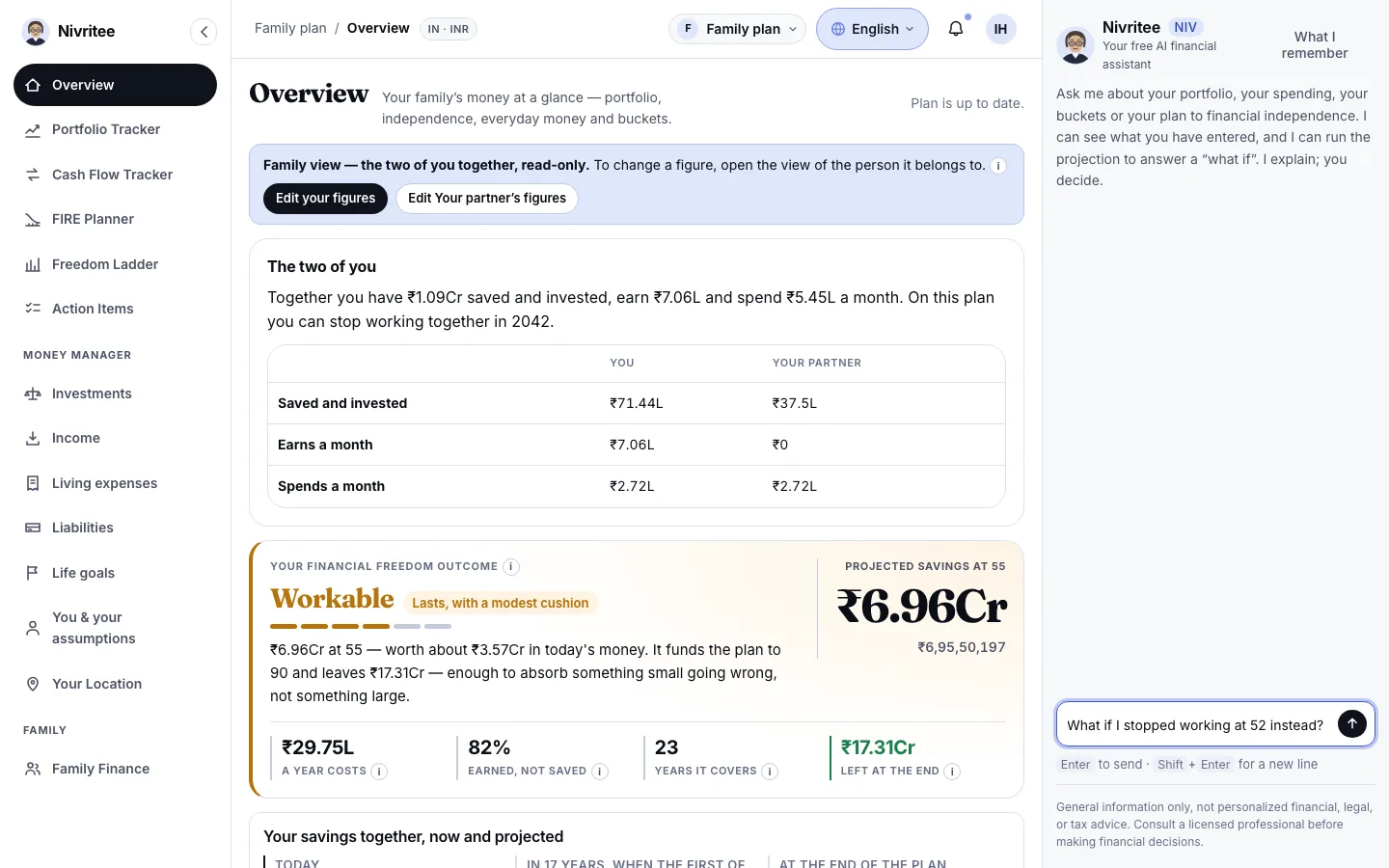
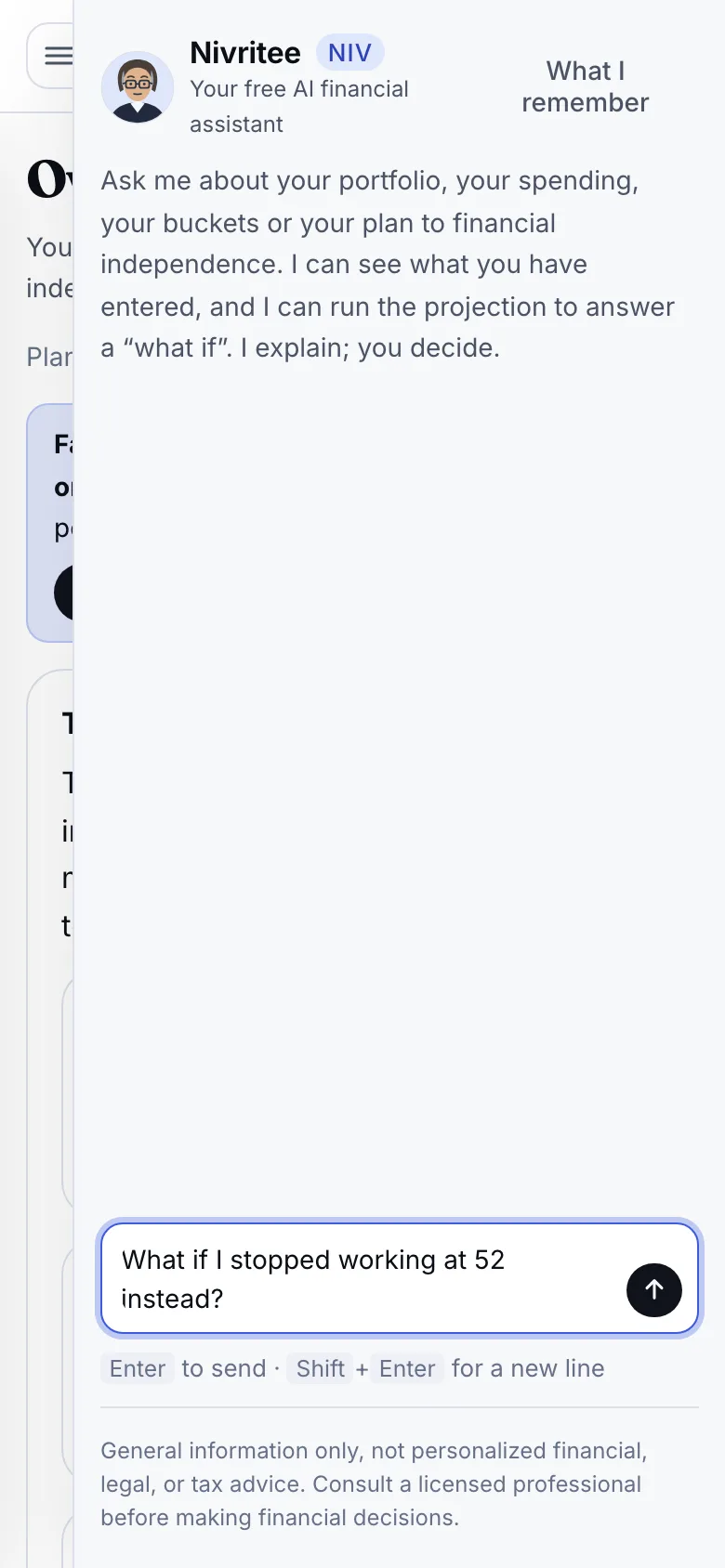
Niv reads your whole plan, runs each what-if on your own projection and shows both results. She explains, never sells and never tells you what to buy. You decide. Free.
Niv · AI portfolio analysis
Each time you ask, Niv gets a summary of your plan as it stands: holdings at the latest close, income, spending, loans, goals, the projection and your Freedom Ladder. Every reading she quotes was computed by the server, not by her.
What Niv can do →Nivritee
Niv · what-ifs and stress tests
Ask what if you stop earlier, save more or face higher inflation, and Niv re-runs your whole projection. Ask how fragile it is and she runs a stress test, like a 2008-style crash. She quotes both results exactly, with no arithmetic of her own.
The stress tests in the FIRE Planner →What if things go wrong?
Ticked together, they compose into one line drawn against your plan, never replacing it.
Niv · she explains, you decide
When Niv can name the exact figure, such as the age you stop working, she offers it as a button, usually with the what-if behind it. Nothing moves until you press it. An answer can end with the Help Centre article that covers it.
Applying a suggestion from Niv →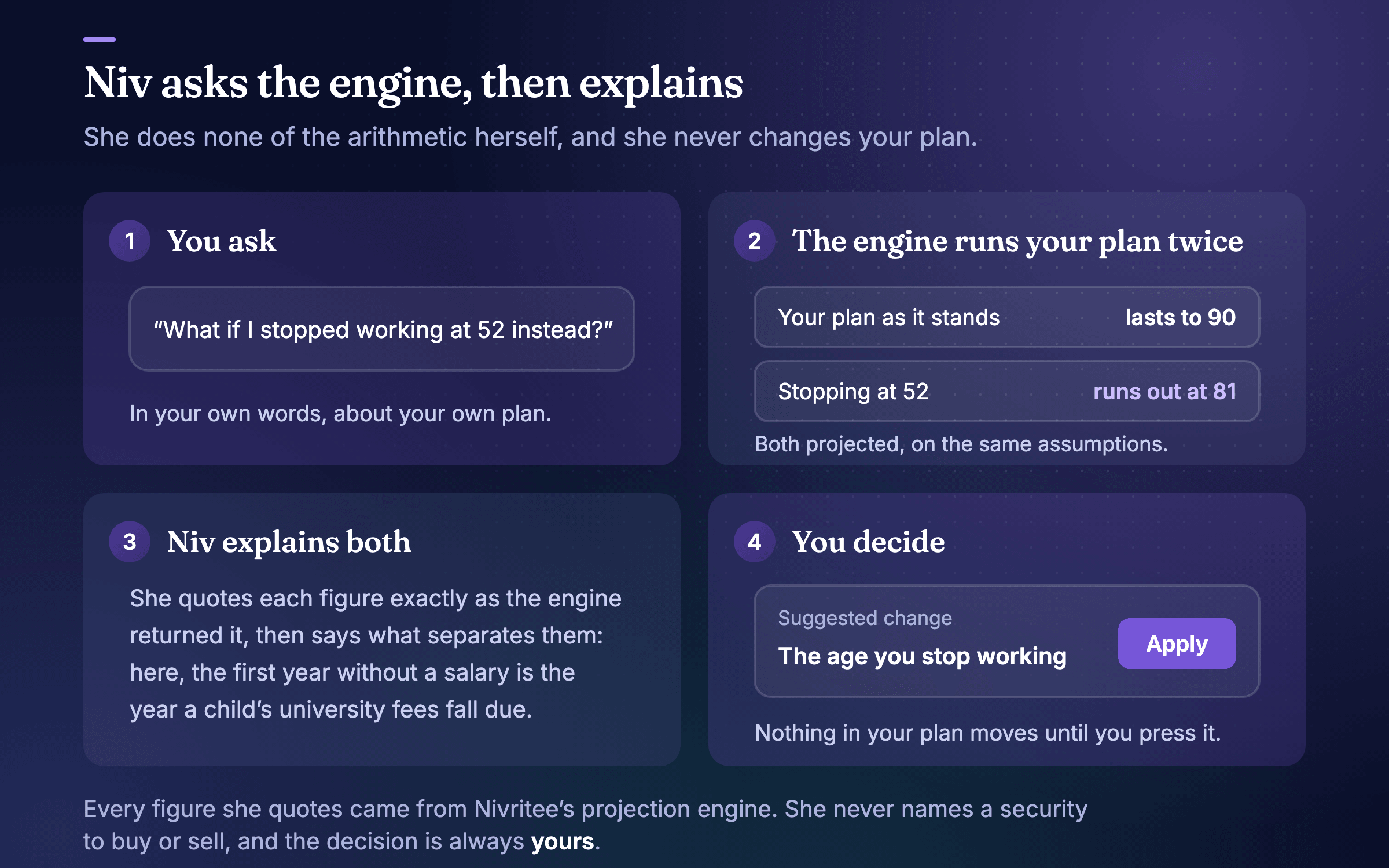
Niv · notes you control
Niv keeps a few notes between visits: your goal, a constraint, a decision and why. Never a figure. Your conversation follows you across devices, and you can delete any note or clear the conversation. Deleting your account deletes both.
What Niv remembers →Niv · what she will not do
Every number she quotes comes from the projection engine. If she needs a new one, she runs it. If it cannot answer, she says so.
She explains what a bond fund is or why shares and deposits behave differently. She never tells anyone what to buy or sell.
A suggestion is a button. Nothing changes until you press it, and she never says “done” on your behalf.
Her answers explain your own figures. They are not personalised financial, tax or legal advice, and regulated decisions stay with you and a licensed professional.
A projection is what these numbers do on these assumptions. She says “projected”, and she is plain when a plan is in trouble.
No fee, no commission, no products. Niv is part of every free account.
What only Nivritee does
A general chatbot cannot see your figures or run your projection. Niv does both, inside the same plan as your Portfolio Tracker, Money Manager and Freedom Ladder.
Indian mutual funds, US stocks, a UK fund and a Gulf deposit in one household figure, converted daily into your home currency.
What you hold today feeds the projection of when you could stop. Portfolio trackers do not plan; FIRE calculators do not track.
Two people, one plan, each choosing what the other sees — and your CA or lawyer sees exactly what you share, read-only.
Fourteen markets’ inflation, schemes and household surveys, so your spending and your percentile are measured where you live.
Ask Niv a what-if and she runs it on your own projection and reports both figures — she never guesses at arithmetic.
No fee, no commissions, no products. Nobody at Nivritee can open your plan.
| Kind of app | Portfolio Tracker | Cash Flow Tracker | FIRE Planner | Money Manager | Family Finance | Niv | Freedom Ladder |
|---|---|---|---|---|---|---|---|
| Portfolio trackers | Yes | No | No | No | Partly | Partly | No |
| FIRE calculators | No | No | Yes | Partly | Partly | No | No |
| Budgeting apps | Partly | Yes | Partly | Yes | Partly | Partly | No |
| Document vaults | No | No | No | No | Partly | No | No |
| Nivritee | Yes | Yes | Yes | Yes | Yes | Yes | Yes |
Questions
No. Niv is a free AI financial assistant: she explains your own figures and runs your plan through Nivritee’s projection engine, and every decision is yours. Her answers are general information, not personalised financial, tax or legal advice, and she never recommends buying or selling a security.
Yes. Niv comes with every free Nivritee account. There is no paid tier, no commission and nothing for her to sell you.
She reads what you hold as part of your plan, valued at the latest close, and on the Portfolio Tracker she writes a short reading of your return against the return your plan assumes and of how your money is arranged. She will explain what a fund or a bond is, but she does not pick or rate individual stocks or funds.
Never. Every figure she quotes was computed by the projection engine your plan runs on. When she needs one she does not have, she runs the engine for it, and when a what-if comes back she quotes your plan as it stands and the changed one exactly as returned.
No. She can suggest a change to one figure, such as the age you stop working, a rate or the age you plan to, and it appears as a button. Nothing moves until you press it, and she never says she has made a change.
A short set of notes: what you are working towards, a constraint, a decision and why. Never a figure. Your conversation is stored to your account so it is there on any device. You can read every note, delete any of them, and clear the conversation whenever you like.
Free, neutral and private
Nothing here is for sale, so nothing here pushes you anywhere. You read the figures, and you decide.
Ask Niv about your own plan.
Eight answers and about two minutes to a first plan, then ask her anything about it. Free, no bank login, and nobody at Nivritee can open your plan.